
March 13, 2025
Learn 7 expert-approved steps to optimize performance and security with a digital spring cleaning.
Share this article

Why Your Business Needs a Digital Spring Cleaning
Just like a cluttered office slows down productivity, a messy and outdated IT system can drag down efficiency, increase security risks, and hinder business growth. Over time, outdated software, disorganized data, and neglected security measures pile up, leaving businesses vulnerable to cyber threats and operational bottlenecks.
A well-executed digital spring cleaning helps businesses optimize their IT environment, improve system performance, and strengthen cybersecurity. By removing outdated technology, organizing data, updating security protocols, and enhancing network efficiency, businesses can run faster, safer, and more efficiently.
At thirtyone3 technology, we specialize in helping businesses take control of their IT infrastructure through proactive maintenance, cybersecurity solutions, and performance optimization.
In this guide, we’ll walk you through seven essential steps to refresh and optimize your IT systems. From data decluttering to network performance improvements, these strategies will help ensure your business operates securely and at peak efficiency year-round.
Table of Contents
Hide
- 1. Why Your Business Needs a Digital Spring Cleaning
- 2. Step 1: Conduct a Comprehensive IT Infrastructure Review
- 3. Step 2: Declutter and Organize Business Data
- 4. Step 3: Mitigate Risks Associated with Outdated Software
- 5. Step 4: Enhance Cyber Hygiene and Security Protocols
- 6. Step 5: Optimize Network Performance
- 7. Step 6: Strengthen Data Backup and Recovery Strategies
- 8. Step 7: Streamline IT Workflows to Boost Productivity
- 9. Keep Your IT Running at Peak Performance
- 10. Related Articles
Step 1: Conduct a Comprehensive IT Infrastructure Review
Before diving into decluttering and optimization, the first step in your digital spring cleaning is to assess your current IT infrastructure. Without a clear picture of your hardware, software, and network components, it’s impossible to identify inefficiencies, security gaps, or outdated systems that may be slowing your business down.
Audit Your IT Assets
Start by taking inventory of your IT systems and infrastructure, including hardware, software, and network components. A thorough review ensures you’re not relying on outdated or inefficient technology that could be holding your business back.
Regular IT asset management helps businesses track and optimize their resources, reducing costs and improving performance. Outdated hardware and unsupported software can introduce security risks, making your business vulnerable to cyber threats.
If you’re unsure how IT infrastructure impacts business operations, check out our guide on The Difference Between IT Systems and IT Infrastructure to better understand how these elements work together.
Identify and Remove Redundant Technology
Over time, businesses accumulate unnecessary software and tools old subscriptions, overlapping applications, and outdated legacy systems. Conducting a usage audit can help identify tools that are no longer needed and consolidate resources, leading to:
- Improved system efficiency and performance
- Reduced licensing and maintenance costs
- More streamlined IT operations
Ensure Compliance and Security Updates
An IT infrastructure review helps organizations identify outdated systems, missing safeguards, and configuration issues that may create security or compliance risks. Key areas to examine include:
- Missing security patches and updates
- End-of-life software that needs replacing
- User access permissions that require adjustments
Addressing identified weaknesses helps reduce security exposure, improve system reliability, and support applicable compliance-readiness efforts.
Step 2: Declutter and Organize Business Data
Just like an overflowing filing cabinet makes it hard to find important documents, disorganized digital data can slow down your business, increase security risks, and drive-up storage costs. A critical part of digital spring cleaning is data decluttering, ensuring that your files, databases, and cloud storage remain structured, accessible, and secure.
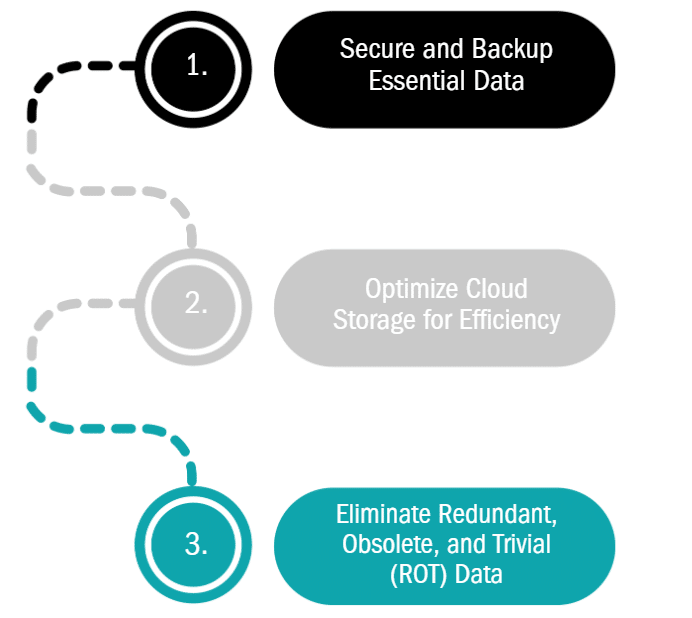
Eliminate Redundant, Obsolete, and Trivial (ROT) Data
Over time, organizations accumulate duplicate files, outdated records, and information that may no longer be needed for daily operations. However, deleting data without reviewing retention requirements can create additional risks.
A structured data review should distinguish between:
- Active business data: Information needed for current operations, customers, and financial activities.
- Retained or archived data: Records that must be preserved for legal, regulatory, contractual, or operational reasons.
- Data eligible for deletion: Duplicate or obsolete information that has been reviewed and approved for removal under applicable retention policies.
A disciplined approach helps reduce unnecessary storage, improve information organization, and limit exposure from data that no longer serves a legitimate business purpose.
Optimize Cloud Storage for Efficiency
Many businesses rely on cloud storage, but unstructured or outdated data can lead to higher storage costs and inefficiencies. Regularly reviewing and optimizing storage can reduce costs, improve collaboration, and enhance security by removing outdated or sensitive files no longer needed.
Businesses can improve data governance by implementing structured policies for storage, access, and retention, which can help transform data into a strategic asset that drives business efficiency.
Secure and Backup Essential Data
After organizing your data, the next step is to ensure critical files are securely stored and properly backed up. A strong data backup and recovery strategy includes:
- Routine automatic backups to cloud or external storage
- Encryption for sensitive data to prevent unauthorized access
- Disaster recovery planning to restore data in case of cyber incidents
Decluttering and organizing your business data will improve efficiency, enhance security, and ensure that your IT systems run smoothly.
Step 3: Mitigate Risks Associated with Outdated Software
Using outdated software isn’t just an inconvenience, it’s a major security risk. Unsupported applications, unpatched vulnerabilities, and old operating systems create entry points for cyberattacks, leaving businesses exposed to malware, data breaches, and system failures.
As part of your digital spring cleaning, reviewing and updating your software is crucial to maintaining security and performance.
Identify and Replace Outdated Software
Many businesses continue using outdated tools because they still “get the job done.” However, legacy software often lacks critical security updates, making it a prime target for cybercriminals. Regularly reviewing your IT environment can help identify software that is:
- No longer receiving vendor support or security patches
- Slowing down system performance due to outdated architecture
- Incompatible with modern applications and security protocols
Replacing unsupported or outdated software with properly maintained alternatives can reduce known security risks, improve compatibility, and support more reliable business operations.
Prioritize Patching and Security Updates
Cybercriminals frequently exploit known software vulnerabilities, many of which have already been patched by vendors. Businesses that delay or ignore updates leave themselves unnecessarily exposed to cyber threats. Implementing an automated patch management strategy helps ensure that:
- Security updates are installed as soon as they become available
- Operating systems and applications remain protected against emerging threats
- IT teams don’t have to manually track and apply updates across multiple devices
According to CISA’s guidelines on software updates, businesses should establish a regular update schedule to minimize security risks.
Evaluate Software Licensing and Compliance
Outdated or unlicensed software can also pose compliance risks, especially in industries with strict data protection regulations. Conducting a software license audit helps businesses:
- Ensure compliance with legal and regulatory requirements
- Avoid penalties associated with unauthorized software use
- Reduce unnecessary costs by eliminating unused licenses
By keeping software updated and properly managed, businesses can strengthen security, improve system performance, and reduce operational risks.

Step 4: Enhance Cyber Hygiene and Security Protocols
A digital spring cleaning isn’t just about improving performance, it’s also an opportunity to strengthen cybersecurity defenses. Weak passwords, outdated security policies, and poor cyber hygiene put businesses at risk of data breaches, malware infections, and financial losses.
By reinforcing cyber hygiene best practices, businesses can reduce vulnerabilities and protect sensitive data.
For additional guidance, the NIST Cybersecurity Framework 2.0 Small Business Quick-Start Guide provides practical recommendations to help businesses evaluate cybersecurity risks and strengthen their security practices.
Enforce Strong Password Policies and Multi-Factor Authentication (MFA)
Strong authentication is an essential part of protecting business accounts and sensitive information. Organizations should encourage long, unique passwords, use password managers where appropriate, and enable multi-factor authentication (MFA) for supported systems.
Password changes should be required when there is evidence of compromise rather than enforced automatically on an arbitrary schedule, unless a specific applicable requirement dictates otherwise. Phishing-resistant authentication methods should be prioritized where supported, particularly for privileged accounts and access to sensitive information.
Regular access reviews and prompt removal of unnecessary accounts further reduce the risk of unauthorized access.
Review and Update Cybersecurity Policies
As businesses evolve, so do cyber threats. Many companies operate with outdated security policies that fail to account for new risks like phishing attacks, remote work vulnerabilities, or emerging malware threats.
Businesses can reduce these risks by updating acceptable use policies, implementing access controls, and educating employees on common cybersecurity misconceptions that put small businesses at risk.
Upgrade Firewall and Endpoint Protection
A business’s network security is only as strong as its weakest link. Firewalls, antivirus software, and endpoint protection tools should be regularly updated to defend against the latest threats.
Key security upgrades include ensuring firewalls and intrusion detection systems are properly configured, using advanced endpoint protection tools, and actively monitoring network activity for suspicious behavior.
By reinforcing cyber hygiene and security policies, businesses can significantly reduce cyber risks, safeguard sensitive data, and maintain a secure IT environment.
Step 5: Optimize Network Performance
A slow or unreliable network can bring business operations to a halt. Lagging connections, bandwidth bottlenecks, and outdated networking hardware lead to reduced productivity, frustrated employees, and even security risks.
As part of your digital spring cleaning, reviewing and optimizing your network ensures faster performance, stronger security, and better connectivity across all devices.
Identify and Address Bandwidth Bottlenecks
Many businesses experience network slowdowns without realizing that inefficient bandwidth usage is the root cause. Common culprits include unnecessary background applications, outdated network configurations, and a lack of traffic prioritization. Conducting a network performance review can help identify:
- Devices or applications consuming excessive bandwidth
- Network congestion caused by outdated routing or switching settings
- Areas where Wi-Fi coverage is weak or unreliable
By optimizing traffic flow and upgrading configurations, businesses can reduce lag, improve connectivity, and enhance overall network performance.
Upgrade Outdated Networking Hardware
Older network infrastructure such as routers, switches, and access points—may no longer support modern demands for faster speeds, higher security, and increased device connectivity. Businesses should assess whether their hardware is:
- Supporting current and future bandwidth needs
- Offering advanced security features to prevent cyber threats
- Compatible with cloud-based applications and remote work environments
Investing in modern network hardware not only boosts speed and reliability but also strengthens IT security by incorporating advanced encryption and threat detection features.
Improve Wi-Fi Coverage and Stability
Weak or inconsistent Wi-Fi coverage can interrupt daily operations, particularly in offices with multiple devices, shared workspaces, or demanding applications.
Organizations can improve wireless reliability by:
- Evaluating access point placement, coverage, interference, and capacity.
- Reviewing whether existing wireless equipment supports current business requirements.
- Using network segmentation to separate staff, guest, and other devices where appropriate.
- Monitoring wireless performance and addressing recurring connectivity issues.
Regular network reviews help identify performance limitations and guide improvements based on actual business needs.
Step 6: Strengthen Data Backup and Recovery Strategies
A strong data backup and recovery plan is essential for protecting business-critical information from cyberattacks, accidental deletions, and system failures. Without reliable backups, businesses risk losing sensitive data, disrupting operations, and facing costly downtime.
As part of your digital spring cleaning, review backup coverage, recovery priorities, and testing procedures to identify gaps that could affect your organization's ability to resume critical operations after a disruption.
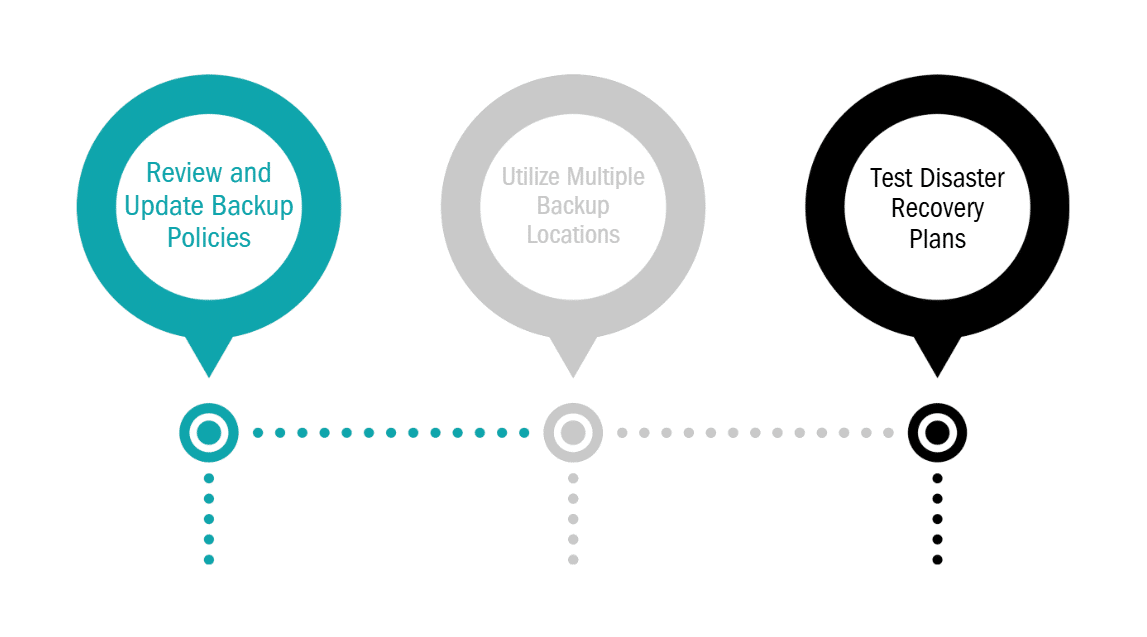
Review and Update Backup Policies
Many businesses assume their data is being backed up regularly until they need to restore it and realize gaps in their backup strategy. A thorough review should ensure that:
- All critical business data is backed up, including financial records, customer information, and proprietary files
- Backups are performed automatically and frequently, rather than relying on manual processes
- Data retention policies align with compliance requirements and industry regulations
Utilize Multiple Backup Locations
Relying on a single backup location can increase the risk of data loss or prolonged recovery following a cyberattack, hardware failure, or other disruption.
A stronger backup strategy may include:
- Cloud-based backups: Maintain protected copies of critical data in an appropriately secured offsite environment.
- Local recovery options: Support faster restoration of selected systems or data when the recovery design requires them.
- Immutable or otherwise protected backups: Reduce the risk of unauthorized modification or deletion of recovery points.
- Recovery testing: Verify that protected data and systems can be restored according to documented recovery objectives.
Backup solutions should be selected based on the organization's data, operational requirements, security needs, and recovery priorities. No backup architecture can guarantee recovery from every scenario.
Test Disaster Recovery Plans
A backup is only useful if it works when needed. Many businesses neglect disaster recovery testing, leaving them unprepared when a crisis hits. Regular testing should confirm:
- Backups can be restored quickly and without data corruption
- Employees know the steps to follow in case of an emergency
- Contingency plans exist for scenarios like cyberattacks, hardware failures, or natural disasters
By reinforcing data backup and recovery strategies, businesses can minimize downtime, protect critical information, and ensure long-term resilience against data loss threats.
Step 7: Streamline IT Workflows to Boost Productivity
An optimized IT environment isn’t just about security and performance it also plays a crucial role in business efficiency. Disorganized systems, repetitive manual tasks, and inefficient software can slow down teams and create unnecessary bottlenecks.
As part of your digital spring cleaning, streamlining IT workflows can enhance productivity, reduce costs, and improve overall business operations.
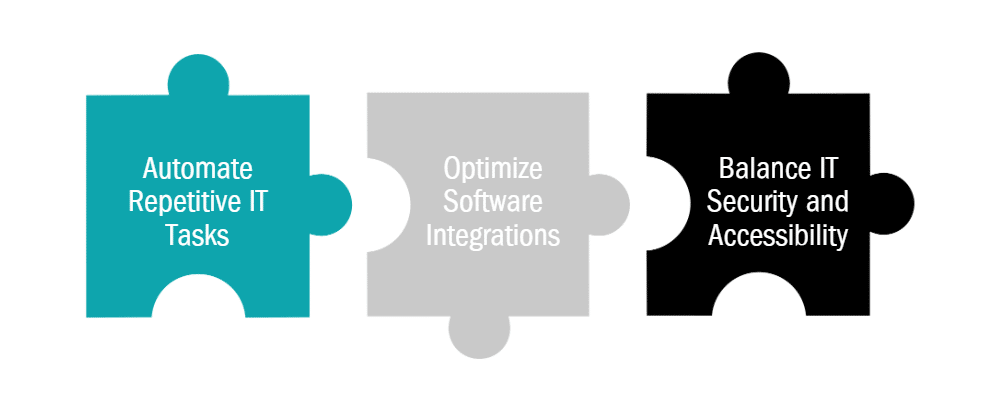
Automate Repetitive IT Tasks
Routine IT activities such as software updates, monitoring, maintenance checks, and backup operations can often be automated to improve consistency and reduce manual effort. When properly configured and monitored, automation helps IT teams identify issues earlier, complete recurring tasks more reliably, and focus attention on higher-value business needs.
- Free up IT teams to focus on strategic initiatives
- Reduce the risk of security vulnerabilities caused by delayed updates
- Improve consistency and reliability in routine IT maintenance
Optimize Software Integrations
Disconnected or redundant software can lead to inefficiencies, miscommunication, and data silos. Ensuring business applications integrate seamlessly allows for:
- Better collaboration across teams with centralized data access
- Faster decision-making by eliminating duplicate data entry
- Cost savings by consolidating overlapping tools and subscriptions
Businesses that align their IT strategy with operational needs can significantly enhance workflow efficiency and drive better business outcomes. For insights on how to build an IT strategy that supports business growth, explore essential IT strategy development tips.
Balance IT Security and Accessibility
While strong cybersecurity measures are critical, overly restrictive security protocols can slow down work. Finding the right balance between IT security and usability ensures employees have secure yet efficient access to the tools and information they need. This includes:
- Implementing role-based access controls to grant appropriate permissions
- Using single sign-on (SSO) solutions to streamline authentication
- Ensuring secure remote access for hybrid and remote teams
By optimizing IT workflows, businesses can create a more efficient, secure, and scalable technology environment that supports long-term success.
Keep Your IT Running at Peak Performance
Digital spring cleaning is a practical opportunity to identify outdated technology, strengthen security safeguards, organize business data, and improve everyday IT performance. But maintaining a reliable technology environment requires more than a seasonal review.
Ongoing monitoring, maintenance, security oversight, backup verification, and technology planning help organizations address emerging issues and reduce avoidable disruption throughout the year.
thirtyone3 technology provides managed IT services, cybersecurity, and recovery readiness support for healthcare and behavioral health organizations, professional services firms, and independent financial and insurance businesses across Peoria, the West Valley, and Phoenix Metro Area.
Not sure where to begin with your IT cleanup? thirtyone3 technology can help evaluate your environment, identify practical improvements, and determine where ongoing IT management could reduce risk and improve reliability.
Schedule a 30-Minute IT Fit Call to discuss your technology concerns and the next steps that make sense for your organization.