
September 25, 2024
Confused about the difference between IT infrastructure and IT systems? Learn how infrastructure forms the foundation, while systems power your tools so you can build a more secure, efficient, and scalable tech stack.
Share this article
As businesses increasingly rely on technology to stay competitive, the distinction between a strong IT infrastructure and high-performing IT systems becomes critical.
IT infrastructure serves as the foundation that supports every digital interaction, while IT systems power the specific functions that drive day-to-day operations. Despite their interconnection, these two components serve vastly different purposes.
In this article, we’ll break down the core components of IT infrastructure and IT systems, clarifying how they work together to meet the demands of modern business.
We’ll also explore how expert IT infrastructure services ranging from consulting to development and ongoing support can help design, deploy, and manage a secure and scalable technology environment.
Table of Contents
Hide
- 1. What Are the Key Components of IT Infrastructure?
- 2. What Are the Components of IT Systems?
- 3. Key Differences Between IT Infrastructure and IT Systems
- 4. The Role of IT Infrastructure Services
- 5. How an IT Consultant Can Enhance Your IT Infrastructure
- 6. Conclusion
- 7. Need Help Getting Started?
- 8. Related Articles
What Are the Key Components of IT Infrastructure?
A business’s IT infrastructure is much more than just a collection of hardware and software; it’s the entire framework that supports every digital function within an organization. To ensure smooth operations, scalability, and security, an effective IT infrastructure must consist of well-integrated components, each serving a specific role.
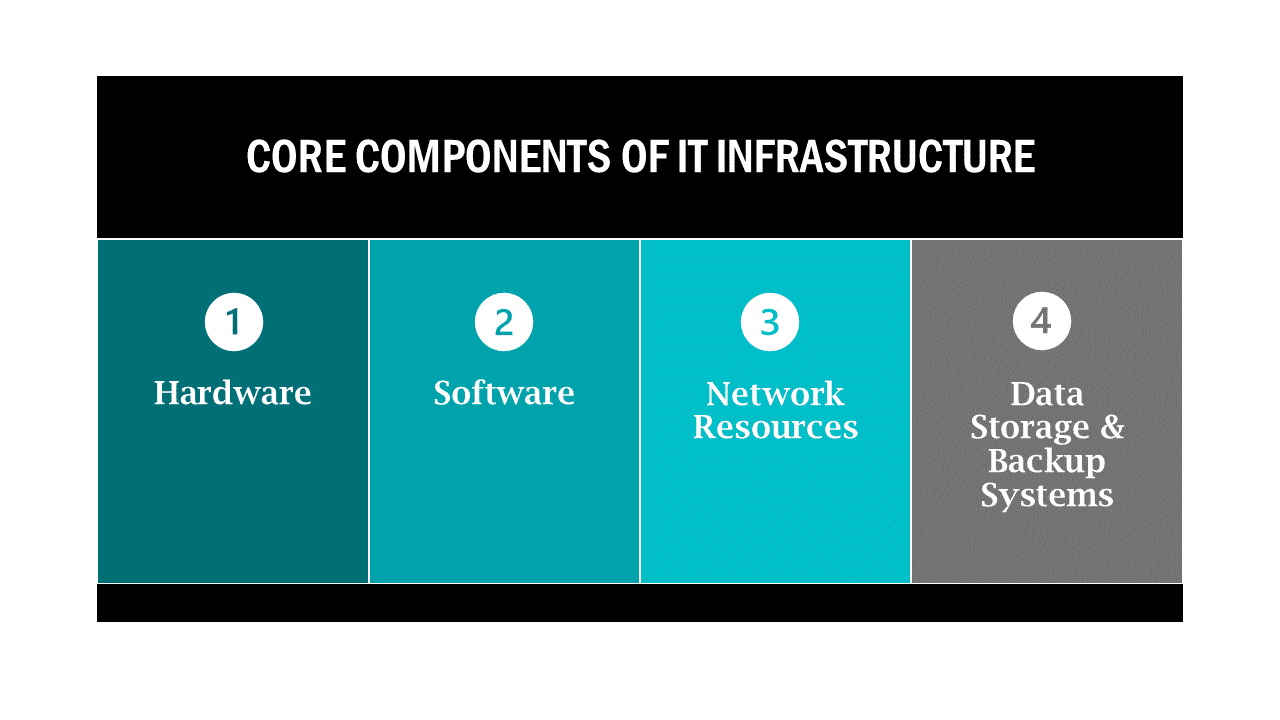
Core Components of IT Infrastructure
- Hardware: The physical equipment is the most visible aspect of IT infrastructure. This includes servers, computers, routers, switches, and other devices that are essential to keeping the business connected. The hardware needs to be carefully chosen and optimized for performance, ensuring it can handle the demands of the software and network requirements.
- Software: The software layer includes operating systems, virtualization tools, and management software that helps control and monitor hardware performance. The right software can optimize resource usage and enable advanced features like virtualization, where multiple operating systems run on a single piece of hardware to maximize efficiency.
- Network Resources: A reliable network infrastructure is critical for communication and connectivity across an organization. This includes routers, firewalls, switches, and network protocols that manage the flow of information. Network design plays a huge role in the overall performance of IT infrastructure, ensuring that data is transmitted quickly and securely between devices and systems.
- Data Storage and Backup Systems: Data is the lifeblood of modern businesses, and its storage and protection are critical components of IT infrastructure. Whether through cloud services, on-premises data centers, or a hybrid model, businesses must ensure data is stored efficiently and can be retrieved quickly. Backup systems are also crucial, providing disaster recovery solutions that can prevent data loss and minimize downtime during emergencies.
- Facilities and Physical Assets This part involves the physical environment where IT infrastructure resides. From data centers to server rooms, these facilities must be carefully managed to ensure optimal temperature, security, and access controls. Many businesses are moving toward cloud-based infrastructure, but even in cloud environments, physical servers and hardware need proper management.
Why IT Infrastructure Is Crucial
A well-structured IT infrastructure acts as the backbone of your business, enabling fast and secure communication, seamless data processing, and elevated levels of uptime.
Whether you’re running simple applications or advanced enterprise systems, every aspect of your operations relies on a stable, scalable, and secure infrastructure. Without it, you risk inefficiency, data loss, security vulnerabilities, and downtime all of which can severely impact your business’s bottom line.
What Are the Components of IT Systems?
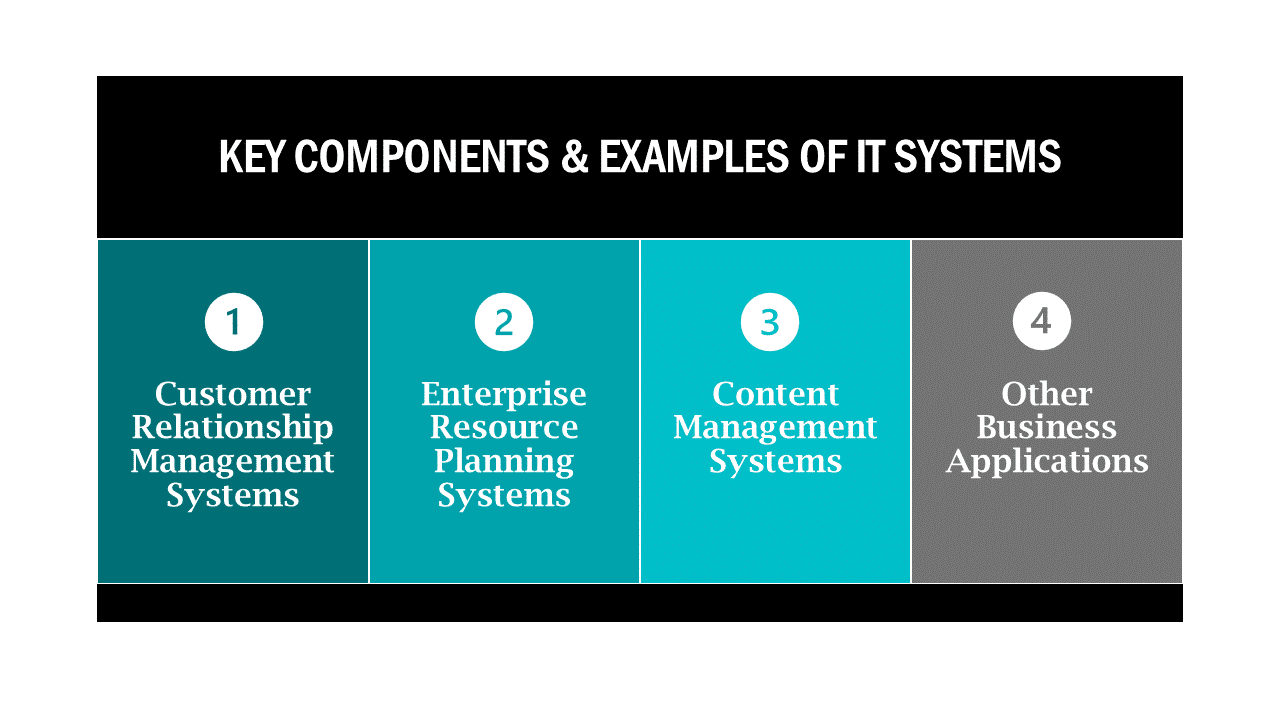
Key Components and Examples of IT Systems
- Customer Relationship Management (CRM) Systems: CRM systems help businesses manage interactions with their customers and prospects. These platforms centralize customer data, track engagement, and automate communication to enhance relationships. CRMs like Salesforce or HubSpot depend heavily on IT infrastructure for data storage and real-time communication between users and customers.
- Enterprise Resource Planning (ERP) Systems: ERPs are integrated software platforms designed to manage core business processes, such as finance, human resources, supply chain, and manufacturing. By providing a centralized view of operations, ERP systems like SAP or Oracle allow companies to streamline processes, reduce redundancies, and improve efficiency across departments.
- Content Management Systems (CMS): A CMS helps businesses manage, create, and modify digital content without needing specialized technical knowledge. Platforms like WordPress, Drupal, and Joomla are popular CMS solutions that depend on the underlying infrastructure to host websites and manage high volumes of web traffic.
- Other Business Applications: Many other IT systems are designed to handle specific business needs. These include accounting software (QuickBooks), human resource management systems (Workday), and communication tools (Slack, Microsoft Teams). Each of these systems serves a different function but relies on the infrastructure for operational efficiency, security, and scalability.
How IT Systems Use IT Infrastructure
IT systems wouldn’t be functional without the supporting infrastructure. For example, a CRM system requires server hardware to store customer data, network resources to facilitate communication between users, and storage solutions to back up that data securely.
Additionally, IT systems often need the infrastructure to ensure data availability and uptime, which is critical for business continuity.
IT systems also rely on the flexibility of infrastructure. With growing demands for cloud computing, virtualization, and remote access, modern IT systems need adaptable infrastructure that can scale with business needs.
As businesses adopt new applications or expand operations, their underlying infrastructure must grow and evolve to support these advancements.
Key Differences Between IT Infrastructure and IT Systems
Although IT infrastructure and IT systems are closely interconnected, they serve distinct purposes in a business’s IT environment. Understanding these differences can help organizations optimize both elements to create a seamless, efficient technology ecosystem.
Scope and Focus
- IT Infrastructure: Encompasses the broad environment that supports all technology operations. This includes physical hardware, network resources, and data storage systems. The focus is on providing the necessary foundation to enable other systems to run smoothly.
- IT Systems: These are specialized applications designed to perform specific business functions. IT systems, such as a CRM or ERP, operate on top of the infrastructure, relying on it to provide the necessary computing power, storage, and network connectivity.
Functionality
- IT Infrastructure: Provides essential resources like processing power, network access, and data storage. It is responsible for making sure that all IT systems, from simple applications to complex enterprise software, can work efficiently. Without infrastructure, systems cannot function.
- IT Systems: Perform specific, defined business tasks. For example, a CMS manages and publishes content, while an ERP integrates and automates various business processes. The functionality of these systems depends on the robust infrastructure supporting them.
While infrastructure ensures uptime and security, systems are the tools that drive day-to-day business activities.
Complexity and Integration
- IT Infrastructure: Requires a holistic view and careful planning to ensure all components hardware, software, network, and storage work together. Building a scalable and resilient infrastructure is complex, as each piece needs to be compatible and flexible to support current and future demands.
- IT Systems: These are often highly specialized and can vary greatly in complexity. Some systems, like accounting software, are relatively simple, while others, such as ERP platforms, can involve multiple integrations across business departments. IT systems frequently need to interface with other systems, databases, or external applications, adding another layer of complexity.
Longevity and Evolution
- IT Infrastructure: Typically has a longer lifecycle and evolves more slowly than IT systems. Once established, infrastructure components such as servers or networking devices may not need significant updates for several years, though they will still need periodic maintenance and upgrades.
- IT Systems: These are often updated more often. With new software versions, updates, and patches being regularly released, IT systems need to adapt quickly to changing business needs, new features, and compliance requirements. As systems evolve, the infrastructure must be ready to accommodate these changes without causing disruption.

The Role of IT Infrastructure Services
A robust IT infrastructure is not a one-time setup; it requires continuous design, deployment, and management to stay aligned with evolving business needs.
IT infrastructure services play a critical role in ensuring that your business’s technological foundation is secure, scalable, and efficient. These services cover a wide range of activities, from initial consulting to long-term support and maintenance.
Designing IT Infrastructure
The first step in building a solid IT infrastructure is proper planning and design. This is where IT infrastructure consulting comes into play. Consultants assess your current infrastructure, identify gaps, and help design a solution tailored to your business’s needs.
Whether you’re starting from nothing or upgrading an existing setup, this phase is crucial for ensuring that the infrastructure will support future growth, improve security, and enhance operational efficiency.
Key Aspects of Infrastructure Design:
- Scalability: Ensuring the infrastructure can grow with your business without requiring constant overhauls.
- Security: Building in security measures like firewalls, encryption, and access controls from the start.
- Resilience: Designing for redundancy and failover systems to minimize downtime in case of an outage or disaster.
With expert consulting, businesses can avoid common mistakes in infrastructure design that can lead to performance bottlenecks or security vulnerabilities later.
Deploying IT Infrastructure
After the design phase, the next step is the actual IT infrastructure development and deployment. This involves setting up all the necessary components, including servers, networking hardware, software, and data storage solutions.
Proper deployment ensures that everything is configured correctly, minimizing downtime and ensuring the best performance from day one.
Key Elements of Infrastructure Deployment:
- Hardware and Software Installation: Ensuring all equipment and software are installed correctly and integrated seamlessly.
- Network Configuration: Setting up secure, efficient networks to support data flow and communication.
- Testing and Optimization: Before the system goes live, rigorous testing ensures that all components function as expected, with no weak links.
This process can be complex and time-consuming, but working with a skilled IT team ensures that deployment is done right the first time, avoiding costly issues down the road.
Managing IT Infrastructure
Once the infrastructure is up and running, continuous management is necessary to maintain performance, security, and uptime. IT infrastructure support services provide businesses with ongoing monitoring, troubleshooting, and maintenance.
These services are crucial for identifying potential issues before they escalate and ensuring that the IT environment continues to support business operations without interruptions.
Key Areas of Ongoing Infrastructure Management:
- Monitoring and Maintenance: Continuous monitoring to detect performance issues, security threats, or hardware failures.
- Proactive Troubleshooting: Addressing problems before they cause downtime or impact productivity.
- Security Updates and Patching: Ensuring that all software and systems are up-to-date with the latest security patches to protect against vulnerabilities.
By relying on dedicated infrastructure support services, businesses can avoid unplanned downtime, mitigate security risks, and extend the lifespan of their IT systems.

How an IT Consultant Can Enhance Your IT Infrastructure
Navigating the complexities of IT infrastructure can be a daunting task for any business, especially when you’re trying to balance growth, security, and efficiency. This is where the expertise of an IT consultant becomes invaluable.
A skilled consultant can help design, deploy, and manage your IT infrastructure in a way that aligns with your long-term goals, ensuring that your technology not only supports but also enhances your business operations.
Strategic Planning and Consulting
A key benefit of working with an IT consultant is the strategic insight they bring to the table. They start by assessing your current infrastructure and understanding your business objectives. This information allows them to design an infrastructure plan tailored to your specific needs whether it’s scaling up for future growth or strengthening security measures.
Key Contributions of an IT Consultant in Planning:
- Alignment with Business Goals: Consultants ensure your infrastructure is not just a technical setup, but a strategic asset that supports your overall business plan.
- Future-Proofing: By factoring in growth and emerging technologies, they build infrastructure that can adapt to your changing needs.
- Risk Mitigation: Identifying potential vulnerabilities and risks in your current setup and proposing solutions to prevent future issues.
With the right plan in place, you can confidently make decisions knowing your IT infrastructure can support your organization as it grows and evolves.
Expert Deployment and Integration
Deploying IT infrastructure requires a deep understanding of how different components such as hardware, software, and network resources interact. A consultant can oversee the entire deployment process, ensuring that all components are properly integrated and configured to work together seamlessly.
Consultant’s Role in Deployment:
- Minimizing Downtime: By managing the deployment process efficiently, consultants reduce interruptions to your business operations during the transition.
- Optimized Configuration: Consultants ensure that each element of your infrastructure whether it’s a server, storage solution, or security system is configured to meet your specific performance requirements.
- Ensuring Compatibility: An IT consultant ensures that new infrastructure integrates smoothly with existing systems, avoiding compatibility issues that can lead to operational delays.
By using their ability, IT consultants can streamline deployment, avoiding common pitfalls and ensuring that the infrastructure is built to perform at its best.
Proactive Infrastructure Management
An IT consultant’s role doesn’t end with deployment. Ongoing management and optimization are key to maintaining a healthy IT environment. Consultants provide proactive management services, which include continuous monitoring, regular updates, and rapid troubleshooting.
Benefits of Proactive Infrastructure Management:
- Monitoring and Early Detection: Consultants use advanced monitoring tools to detect potential issues before they cause disruptions, allowing for quick intervention.
- Security Management: They ensure that your infrastructure stays secure by applying regular patches, updates, and security enhancements.
- Performance Optimization: Consultants can identify inefficiencies in your IT environment and suggest improvements to enhance performance, reduce costs, and support business operations more effectively.
With proactive management from a trusted IT consultant, businesses can enjoy peace of mind, knowing their infrastructure is not only stable but also improved for peak performance.
Conclusion
Understanding the distinction between IT infrastructure and IT systems is essential for building an efficient, scalable, and secure business environment.
While IT infrastructure serves as the foundation that supports all digital operations, IT systems are the specific applications that drive your business processes. Together, they form the backbone of your organization’s technology ecosystem.
Leveraging IT infrastructure services from design and deployment to ongoing management ensures that your infrastructure is aligned with your business goals.
Whether you’re looking to scale your operations, strengthen your security, or optimize performance, an IT consultant can provide the strategic planning, expert deployment, and proactive management needed to keep your IT environment robust and resilient.
At thirtyone3 technology, we specialize in creating custom IT infrastructure solutions that drive business success. Our team of experienced consultants can help you design, implement, and support an infrastructure tailored to your organization’s unique needs.
Need Help Getting Started?
Your IT should empower your business, not hold it back. Partner with thirtyone3 technology to get the clarity, security, and results you deserve. Let's start a conversation today.
Contact us